Every part of your ticketing, in one platform.
Sell tickets and reserved seats, register guests, print badges and track sales and attendance in one place.
See the featuresTickets and guest registration
Build your ticket options, set your prices and make registration fit your event.
Sell more than admission.
Offer parking, meals and merchandise at checkout. Sell packages and bundles, with stock control for extras.
Flexible ticket pricing.
Set tiers and quantity-based ticket prices. Preview what your buyers will pay.
Ask what matters to your event.
Collect guest details with custom questions per order or ticket type, including image uploads.
Ticket types & availability
- Unlimited ticket types, each with capacity and display order.
- Time-slot tickets and scheduled on-sale dates.
- Rules that require or limit purchases of another ticket type.
Invitations, comps & donations
- Private RSVP links and self-service registration for walk-up guests.
- Bulk imports for coupons and complimentary tickets.
- Email checks and typo suggestions at checkout.
- Donations with preset amounts and a live donor display.
A seat map your box office already understands.
Give guests a map that matches your venue’s sections, rows and seats. Each ticket shows exactly where to sit.
A seat can’t sell twice.
If two buyers click the same seat at the same moment, only one of them gets it.
Keep control of your seats.
- Hold or lock seats for production, press and accessibility. Release them for sale when you’re ready.
- Restrict single-use passcodes by section or ticket type. Generate and export them in bulk.
- Release seat holds automatically when carts are abandoned.
Make room for groups and changes.
- Seat groups together, with bulk or individual assignments.
- Change seats after purchase without rebuilding the order.
- Guests choose their seats at checkout. Your team uses the same map to create orders.
Check-in that keeps working when the venue Wi-Fi does not.
Check-in is the one part of an event with no margin for error. It has to work on whatever device is in someone's hand, in a building that may have no signal at all.

- Scan on any device with a camera, straight from the browser
- Keeps scanning with no connection, and syncs when it returns
- Manual check-in and scan-out when a code will not read
- Look people up by name at check-in
- Duplicate-ticket checks at venue entry
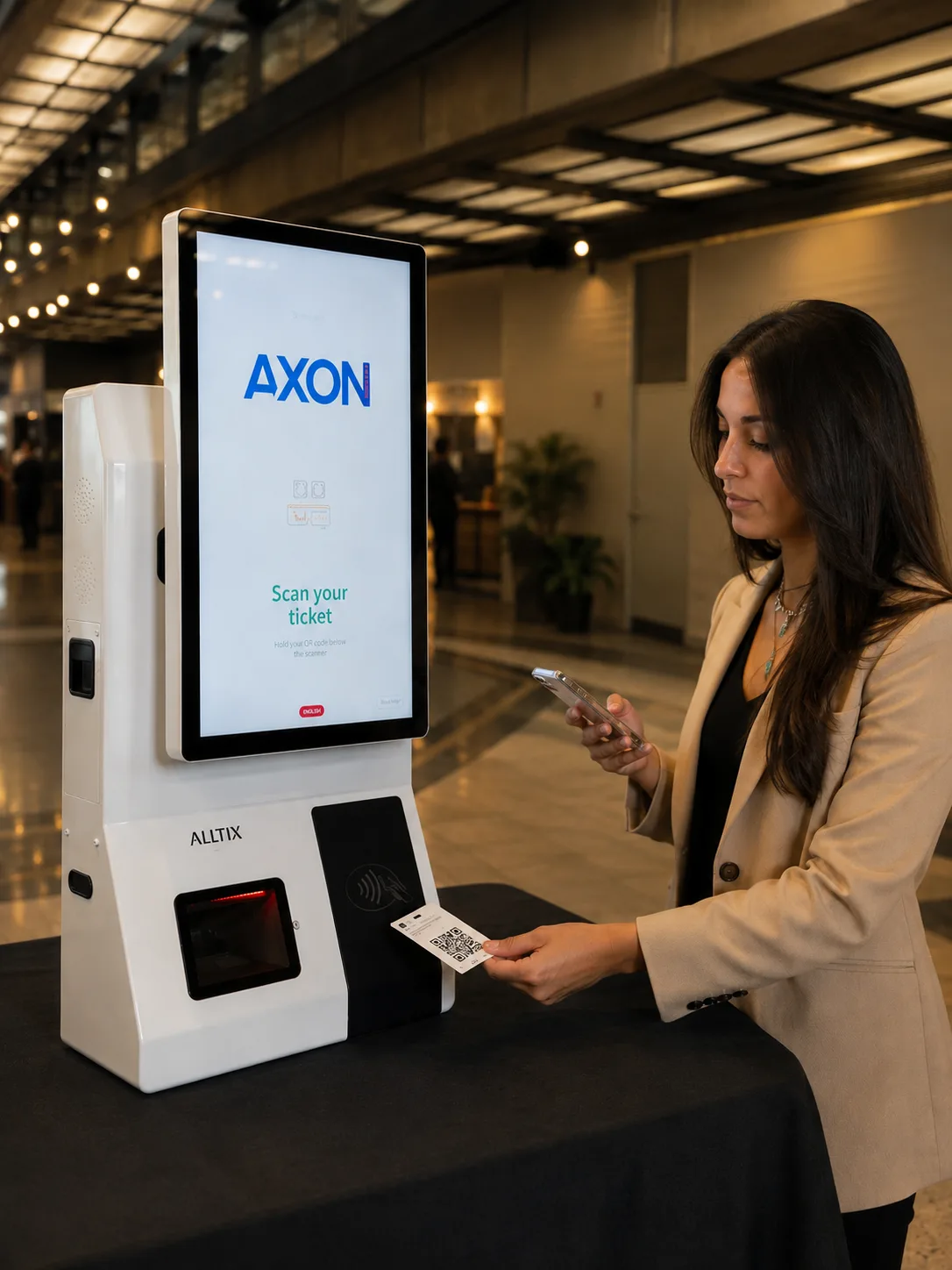
- A dedicated scanner app and a desktop kiosk app
- Self-service check-in for walk-ups
- A help-desk mode, so staff can look up and assist anyone stuck
One ticket.
More than admission.
Set access to keynotes and after-parties, or allowances like two drinks at the bar. Checkpoints keep track of each use.
- Access levels defined per event and attached to tickets and orders
- Checkpoints, so the same person is scanned again at each hall, session or meal
- Live numbers per checkpoint, not just one figure for the event
- Access level printed on the badge, so staff can see it without scanning
- Checkpoint history per attendee, and the ability to undo a scan
Designed by you, printed as they walk up.
Design badges to match your event, assign designs to ticket types and print them at check-in.
Make it your own
- Drag-and-drop badge designer: fields, fonts, colours, positions, artwork
- Different badge designs assigned to different ticket types
- Test badges before the event
Print at check-in
- Badges generated automatically and printed straight from a kiosk
- Network and USB thermal printers supported
- Several printer stations per event, with each kiosk sent to the one you choose
Wallet and PDF tickets
- Wallet passes, PDF tickets and printable passes for your attendees
Get paid as you sell.
Track sales, manage refunds and export the numbers your team needs, all from one dashboard.
- Next-day payouts
Start getting paid after your first sale, not after your event.
- Transparent pricing
A clear proposal for your event type, ticketing setup and support needs.
- Refunds, full or partial
A full refund, or several partial refunds against the same order, from your dashboard.
- Live numbers all night
Sales, arrivals, checkpoints and donations, updating as they happen.
- Exports your accountant can read
CSV for orders, tickets, add-ons, donations and passcodes, plus bulk import of existing orders.
- Who did what, on record
Roles and permissions per event, and an activity log of every change.
- What does it cost?
- Pricing depends on your event type, ticketing setup and support needs. Discounted pricing is available if you prepay.
- When does the money land?
- The next business day after a sale, once payment processing is approved.
- How do refunds work?
- From your dashboard: a full refund, or partial refunds against the same order, without losing the order history.
- Who can see the numbers?
- Whoever you give a role to. Permissions are set per event, for your team and your clients.
Need staff or equipment on site?
Choose the support your event needs: scanners, kiosks, badge and lanyard printing, or an on-site team that can run check-in. The platform works on its own without any of it.